
Apple Watch
Apple Watch nap tracking: what it records and misses
Apple Watch can log naps outside your sleep schedule, with limits. What Apple's docs say it saves, where naps show up in Health, and how to set it up.
Nap timer for iPhone and Apple Watch
Set how long you want to nap and the latest time you must be up. Apple Watch estimates when you drift off, starts timing then, and your first alarm never rings after your cutoff.
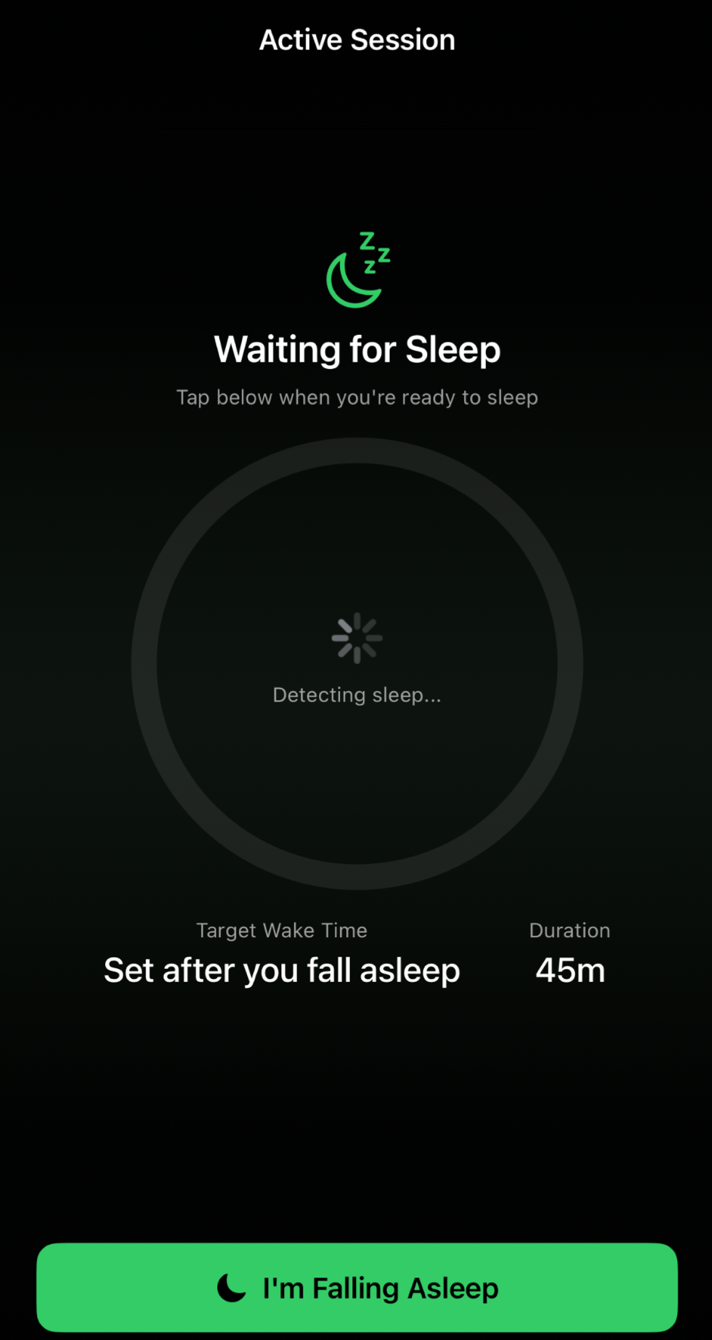
Two settings. One honest alarm.
How long you want to sleep, and the latest time you must be awake.
Your Apple Watch estimates when you fall asleep from changes in heart rate, heart-rate variability and movement. No Watch? Start the timer yourself on iPhone.
The alarm rings at whichever comes first: your nap length after you fell asleep, or your cutoff.
A regular 2-hour timer started at 4:30 PM would ring at 6:30 PM, after less than 1 hour 30 minutes of sleep. SmartNap counts from 5:05 PM and still stops at 7:00 PM.
Pick one and go, or set any duration and any cutoff.
Power
20 min
a quick reset
Focus
30 min
clear your head
Flow
45 min
a creative boost
Balance
1 h
a steady recharge
Deep
1 h 30 min
a longer rest
Recovery
2 h
a long reset
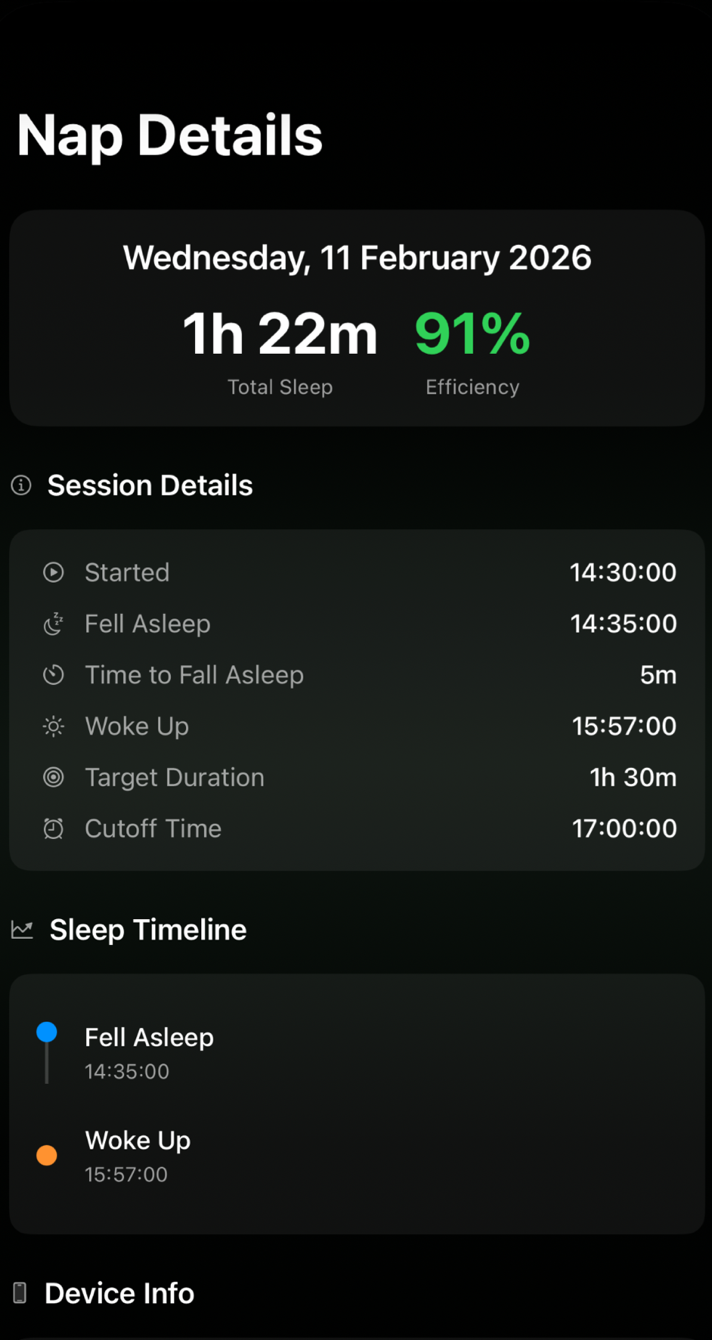
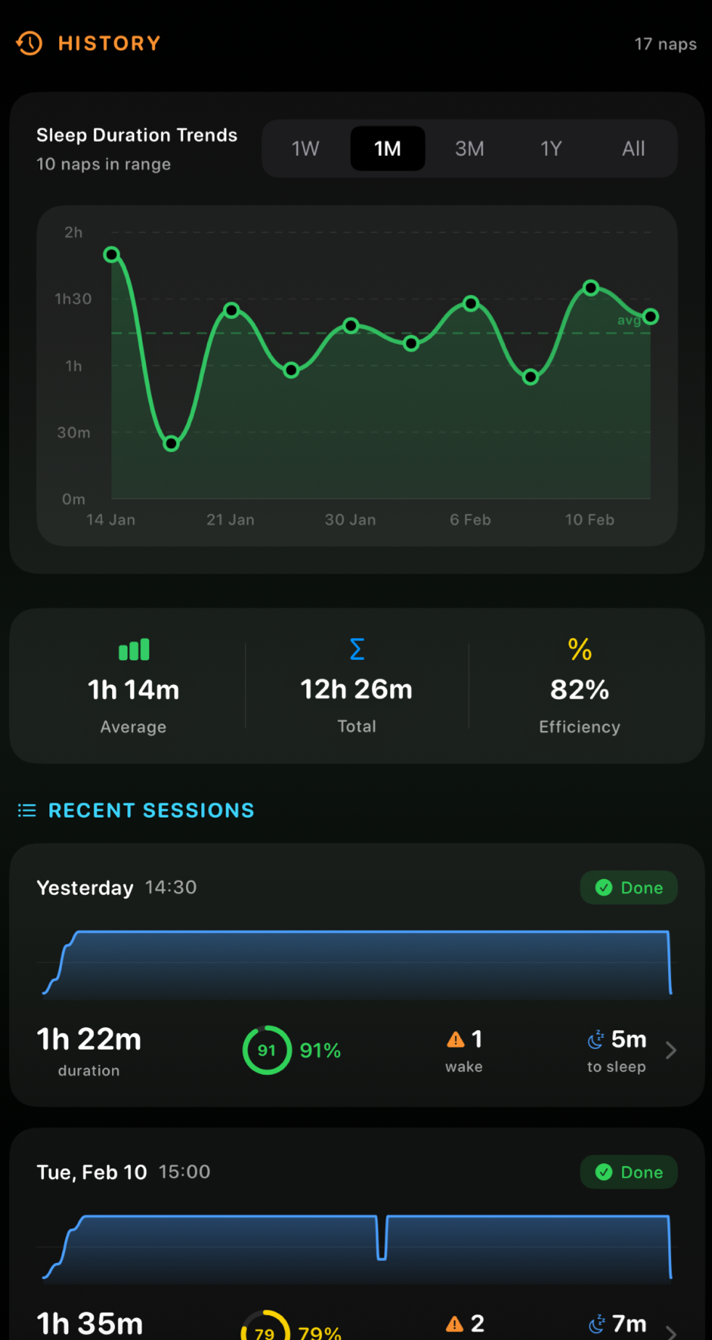
Every nap keeps its start time, when you probably fell asleep, how long that took, when you woke, your target and your cutoff. An estimated sleep efficiency is scored for each nap and charted over weeks, so you can find the nap length that works for you.
Choose a length and a cutoff on Apple Watch and tap Start Nap. When it’s time, the Watch wakes you with wrist taps and an optional sound.
SmartNap reads heart rate and heart-rate variability from Apple Health and movement from Apple Watch to estimate when you fell asleep. Those readings are processed on your iPhone and Apple Watch. They aren’t uploaded to a server, sold or used for advertising.
This website sets no cookies and has no trackers.
A controlled nap before a night on.
A nap between classes that ends before the next one starts.
Grabbing a window while the baby sleeps.
You set a 25-minute alarm and woke up two hours later, in the dark.
Your first nap is free, no subscription needed. After that, SmartNap Pro unlocks unlimited naps with the sleep-onset estimate and your full nap history, as a weekly or annual subscription.
Plans, local prices and any offers appear in the app before you buy. Subscriptions renew automatically unless cancelled at least 24 hours before the current period ends. Manage or cancel them in your Apple Account settings.

For the automatic estimate, yes: a paired Apple Watch with watchOS 26 or later. Without one, SmartNap works as a manual nap timer on iPhone with the same cutoff.
It estimates. Near the start of your nap the Watch sets a heart-rate baseline, then looks for changes in heart rate, heart-rate variability and movement that suggest sleep. It also uses your past naps and your optional feedback to adjust. Your cutoff is a hard limit for the first alarm, so a late estimate can’t make you sleep past it.
Snooze gives you extra time, and that extra time can go past your cutoff. The first alarm always respects it.
An iPhone with iOS 26 or later. For the automatic estimate, an Apple Watch with watchOS 26 or later.
No. SmartNap is a wellbeing app that helps you time naps. It isn’t a medical device. If you’re very sleepy during the day most days, talk to a doctor.
Your first nap is free. After that you need SmartNap Pro, weekly or annual. The app shows the plans and prices for your country before you buy.
Apple Watch
Apple Watch can log naps outside your sleep schedule, with limits. What Apple's docs say it saves, where naps show up in Health, and how to set it up.
Naps
Count your nap from when you fall asleep, not when you lie down, and set a latest wake-up time so a short nap doesn't spill into your evening.
Shift work
How long to nap before a night shift, when to lie down, and why a hard latest wake-up time should leave you an hour to wake up fully before work.
Set your length and your cutoff. SmartNap handles the rest.
iPhone with iOS 26 or later. Automatic estimate with Apple Watch (watchOS 26 or later).